


How to make basic site edits
This page is a quick guide to make basic page edits. Note that this page is not linked to from the site so is “hidden” unless you have the link to it.
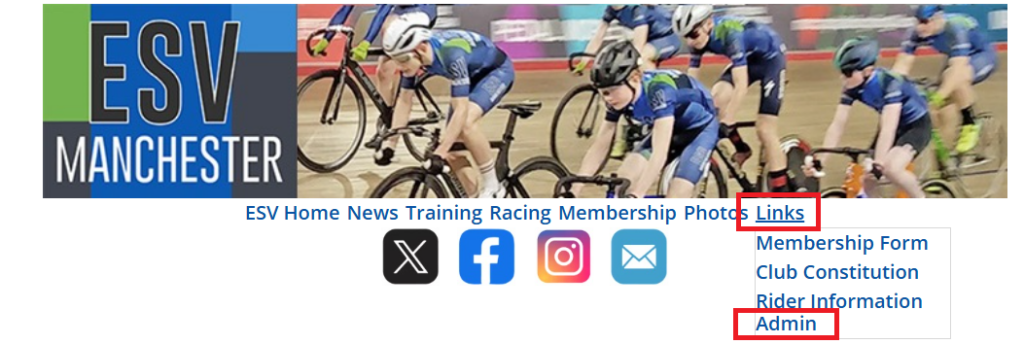
Log in to admin section via the main menu
Premise
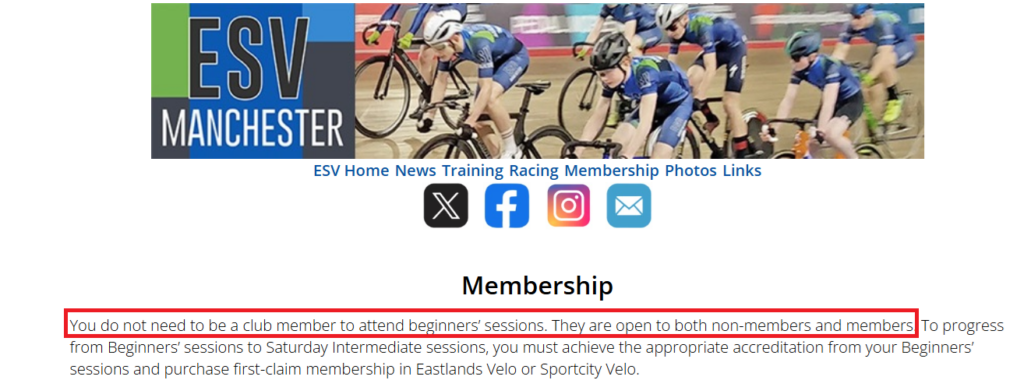
Imagine you are on the Membership page at https://esvmanchester.org.uk/membership/ page and you want to edit the text in red to make it read better.
Edit The Page
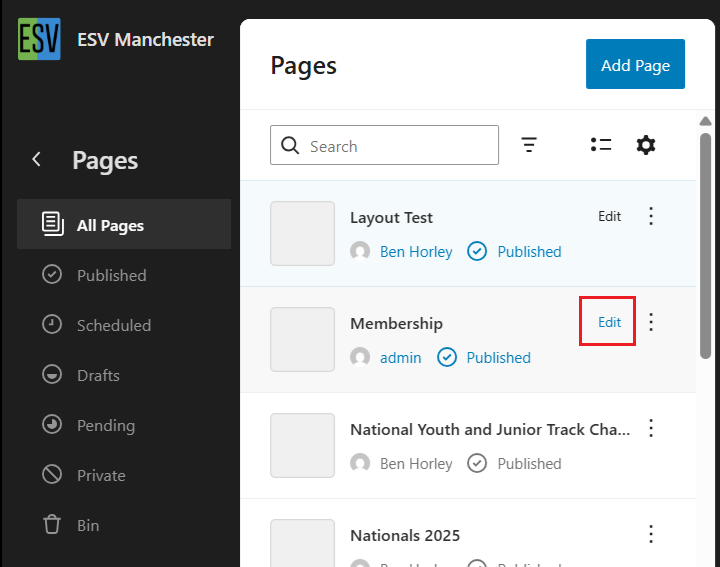
Firstly go to the page editing section at https://esvmanchester.org.uk/wp-admin/site-editor.php?p=%2Fpage
Fine the page you want to edit and click “edit”
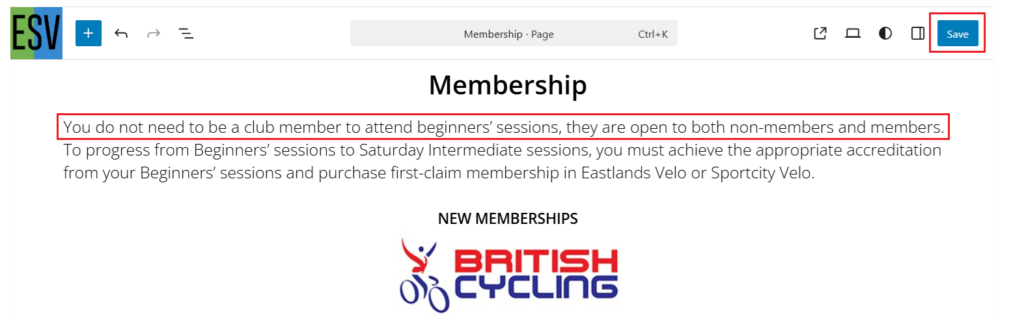
Find what you want to change, change it then click Save
That’s it.
In Case Of Emergency…
If you break something whilst you are editing the page and want to undo what you did use the “Undo” option, the arrow in the top left or just close the current window and don’t save your changes.
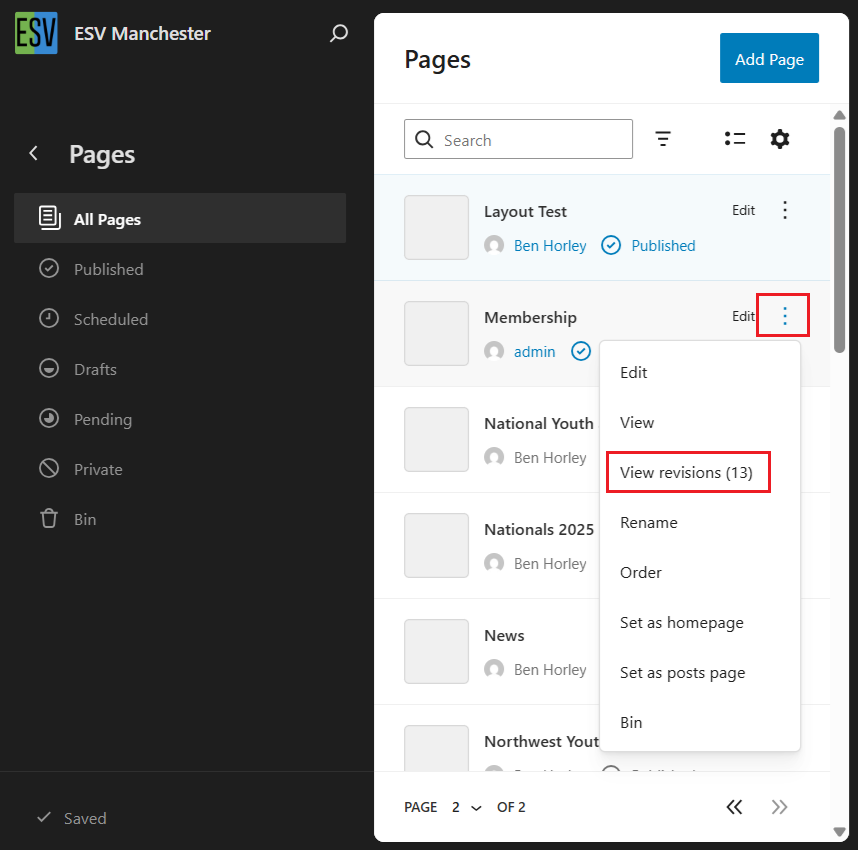
If you make a change, save it then realise something’s gone wrong you can go back and edit it again or regress to the previous version. To do that go back to the page editing section and click the 3 dots then “View Revisions”.
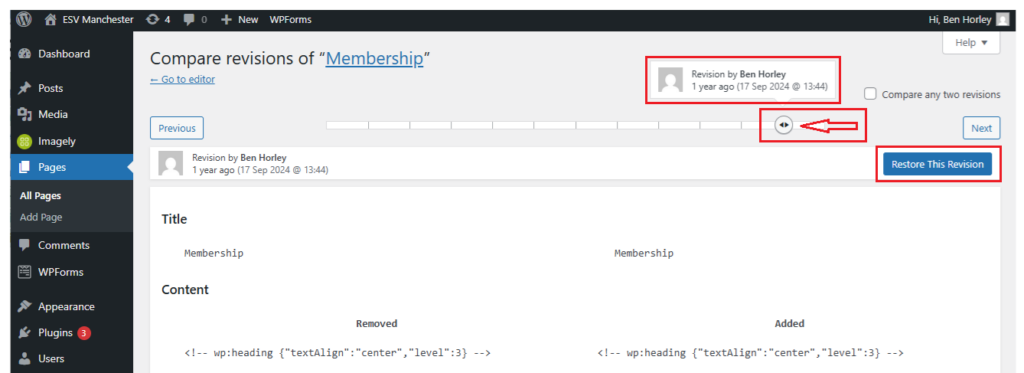
Now you can simply change back to the previous version. Move the button indicated by the arrow one click to the left to choose the previous version and click “Restore This Version”.
Obviously if you’re stuck you can always ping me and I’ll sort.
Practise
I have created a page called “Admin – Practise” that is basically a clone of this page – it’s a non-published page so no one can see it and messing it up doesn’t matter, we can just delete and re-create it.